
Video Intercom
A video intercom is an internal communication system that allows you to see and communicate with people outside the building. Simply put, a video intercom acts like a smart gateway, enhancing security and convenience in residential or office buildings.
Main Components of a Video Intercom and Their Functions
1. Outdoor Panel
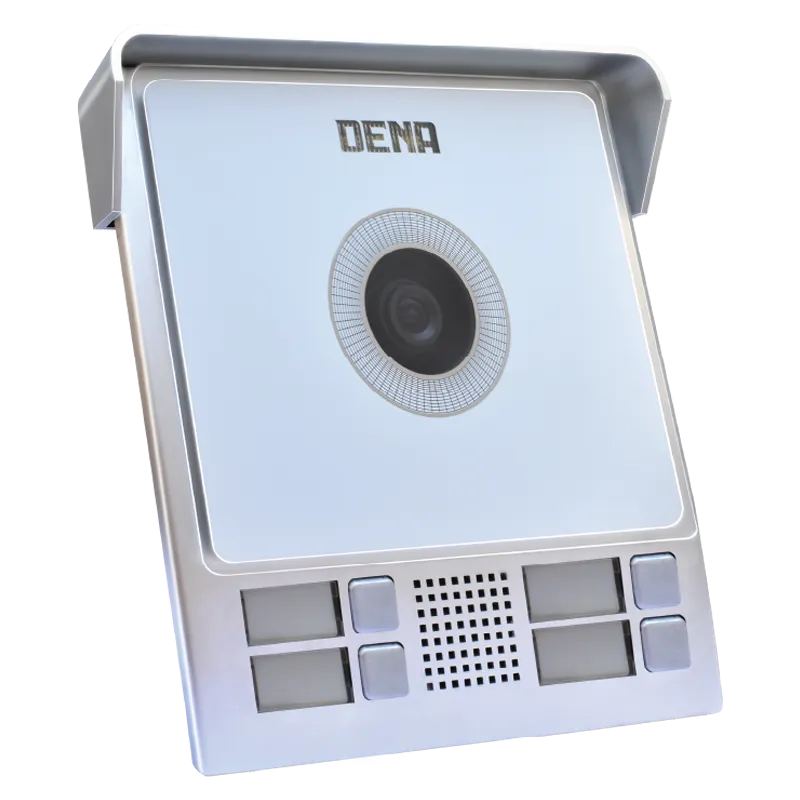
The outdoor panel is usually installed next to the entrance door and is the first point of contact for visitors. This panel includes a camera, microphone, and doorbell button.
Camera: Captures the visitor’s image with good quality and transmits it to the indoor monitor. Some cameras have night vision capabilities for clear images in the dark.
Microphone & Speaker: Transmits the visitor’s voice to the indoor unit and allows two-way communication.
Doorbell Button: When pressed, the indoor user is notified and can decide whether to unlock the door.
The outdoor panel acts as the eyes and ears of the building, playing a crucial role in security and entry control.
2. Indoor Monitor
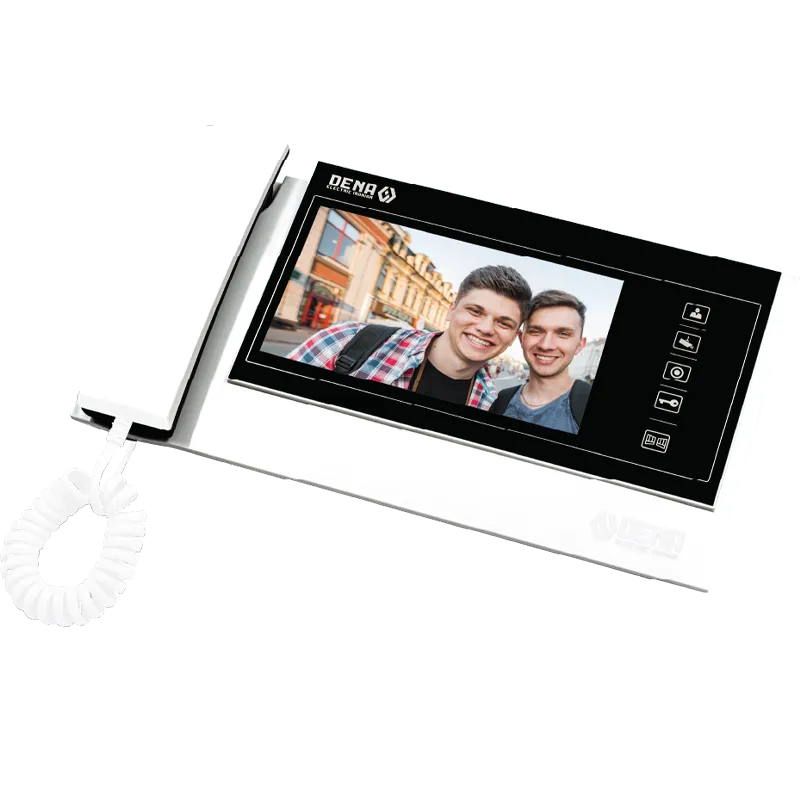
The indoor monitor is the interface for viewing and communicating with visitors.
Display: Shows a live image from the outdoor panel so the user can see who is at the door.
Door Unlocking: Some models have a button to send a command to unlock the electric door lock.
Advanced Features: Some monitors can capture photos or videos of visitors, connect to mobile phones, and adjust brightness or volume.
Simply put, the indoor monitor is the user interface of the intercom system, ensuring convenience and security.
3. Internal Wiring & Connections
Cables transmit power and audio/video signals from the outdoor panel to the indoor monitor. Proper wiring ensures clear, noise-free transmission. Some models use network cables or Wi-Fi, simplifying installation and expansion.
In summary, internal wiring is the lifeline of the video intercom system, making communication between the panel and monitor possible.
4. Electric Door Lock
The electric door lock is a vital component that allows users to unlock the door remotely. After verifying the visitor’s identity through the indoor monitor, pressing a button sends a command to unlock the door.
These locks can be installed independently or connected to the intercom system and come in magnetic, mechanical, and electronic types. Using an electric lock significantly enhances building security by preventing unauthorized access while giving residents full control over entry.
Benefits of Video Intercoms
Enhanced Security: See the visitor before opening the door to verify their identity.
Convenience & Control: Unlock the door from inside without going to the entrance.
Image & Video Recording: Some models can capture photos or videos for later review.
Internal Communication: Allows communication between different units or with security in large buildings.
Video Intercom Maintenance Tips
To ensure your video intercom operates at high quality and has a long lifespan, follow these simple but important guidelines:
Keep the Outdoor Panel Clean
Dust, rain, or dirt can reduce camera image quality. Clean the panel with a soft, dry, or slightly damp cloth. Avoid harsh or acidic cleaners to prevent damage to the camera and buttons. Make sure the camera lens and microphone are not blocked for clear image and sound.
Maintain the Indoor Monitor
Install the monitor in a dry, moisture-free environment. Moisture can damage internal circuits. Avoid excessive pressing of buttons or tapping on the screen. For touch monitors, use a soft cloth for cleaning and keep sharp objects away.
Check Wiring and Connections
Periodically inspect cables and connections between the panel and monitor to ensure they are not loose or disconnected. Avoid sharp bends or pressure on wires to prevent audio or video disruptions.
Maintain the Electric Lock
Ensure the electric lock functions properly and no physical obstacles are blocking it. For magnetic locks, keep metal surfaces and magnets clean to ensure smooth locking and unlocking.
Prevent Unauthorized Voltage
Avoid power surges or direct connection to inappropriate voltage. If possible, use a surge protector or stabilizer to extend the intercom’s lifespan.
Software Updates (for Smart Models)
Some modern video intercoms can connect to the internet and mobile apps. To prevent software issues and enhance system security, keep the device software and firmware up to date.
Dena Electric Video Intercom | Security and Smartness in One Frame
With years of experience in designing and manufacturing electrical equipment, Dena Electric proudly stands as one of the leading producers of high-quality and standard video intercoms in Iran.
These intercoms, utilizing advanced technology, high quality, and modern design, ensure your building’s security and provide a convenient and smart experience for entry management.
To guarantee flawless and continuous performance of your Dena Electric video intercom, the specialized Dena Service team is ready to provide fast and professional support.
✨ With Dena Electric Video Intercom, take a confident step toward a modern future the Dena way.